|
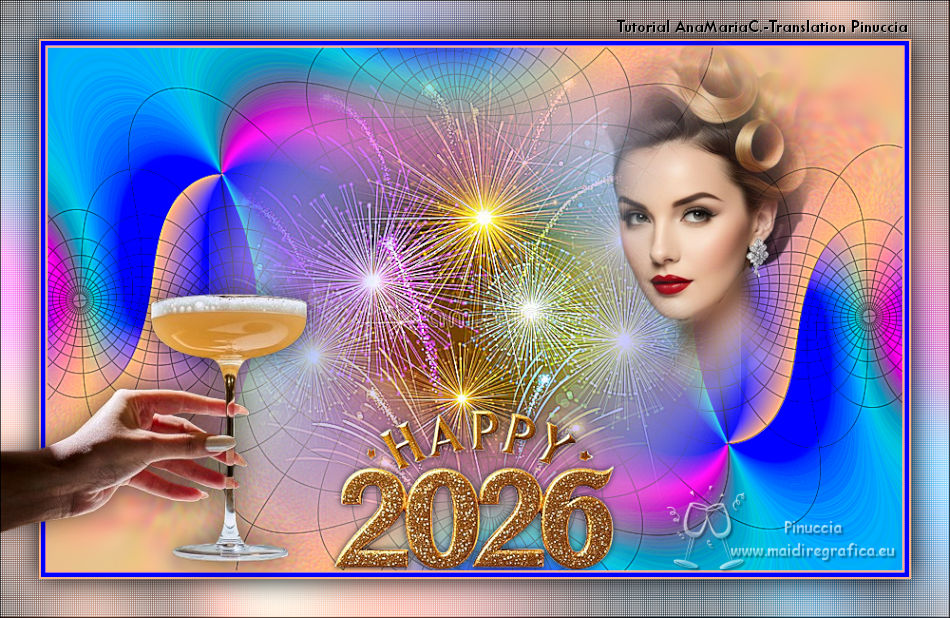
HAPPY 2026

Thanks SIM PSP Group for your invitation to translate your tutorials into english
This tutorial was written and translated with Psp2020, but it can also be made using other versions of PSP.
Since version PSP X4, Image>Mirror was replaced with Image>Flip Horizontal,
and Image>Flip with Image>Flip Vertical, there are some variables.
In versions X5 and X6, the functions have been improved by making available the Objects menu.
In the latest version X7 command Image>Mirror and Image>Flip returned, but with new differences.
See my schedule here

|
Special Note
PSP SIM and its Tutorial Authors ask the public:
- Please, we request that we maintain the originality of the tutorial,
refraining from adding or including unsolicited effects;
- The use of other images is permitted and encouraged,
but please don't modify the content of the original tutorial;
- Please acknowledge and attribute the valuable credits to those who write tutorials, make translations and create materials.
Carefully,
PSP SIM - Ana Maria C
|
For this tutorial, you will need:

Material by Ana Maria C.
(The links of the tubemakers here).

Filters Unlimited 2.0 here
AP 04 - Colour Sweeping here
Flaming Pear - Flexify 2 here
Graphics Plus - Cross Shadow here
[AFS IMPORT] - sqborder2 here
Filters Graphics plus and [AFS IMPORT] can be used alone or imported into Filters Unlimited.
(How do, you see here)
If a plugin supplied appears with this icon  it must necessarily be imported into Unlimited it must necessarily be imported into Unlimited
You can change Blend Modes according to your colors.
In the newest versions of PSP, you don't find the foreground/background gradient (Corel_06_029).
You can use the gradients of the older versions.
The Gradient of CorelX here

1. Open a new transparent image 900 x 550 pixels.
2. Choose 2 colors to work.
Foreground color #feb580
Background color #0000ff
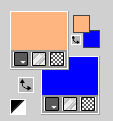
3. Set your foreground color to a foreground/Background Gradient, style Linear.
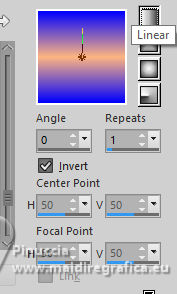
4. Flood Fill  the transparent image with your Gradient. the transparent image with your Gradient.
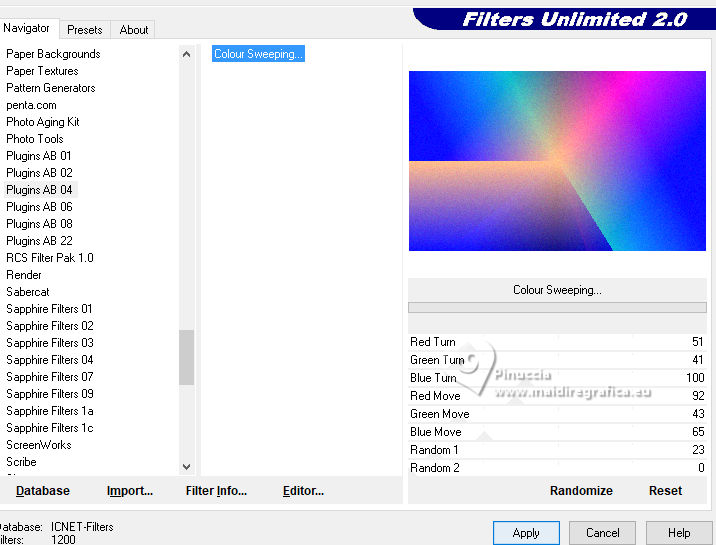
5. Effects>Plugins>Filters Unlimited 2.0 - AB 04 - Colour Sweeping.
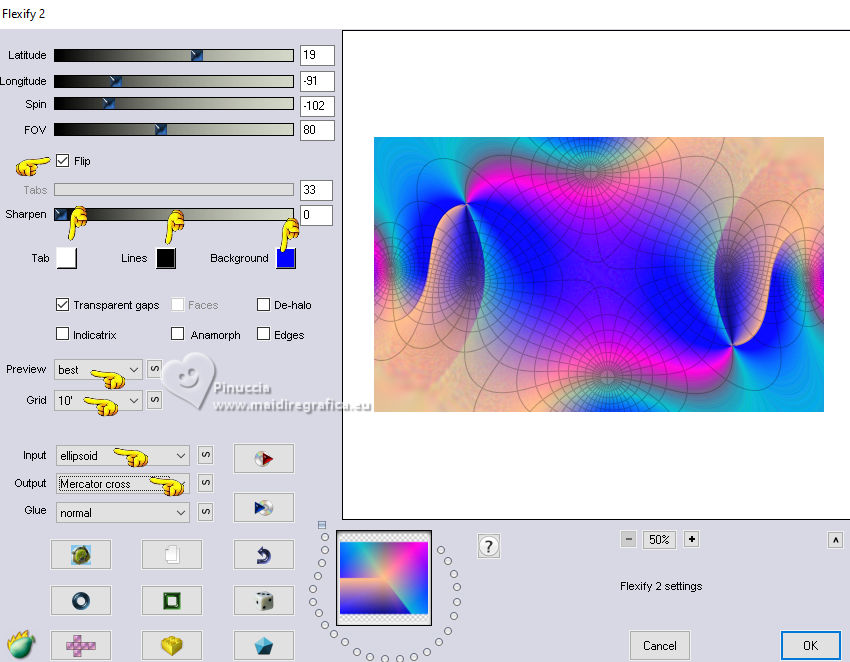
6. Effects>Plugin>Flaming Pear - Flexify 2.
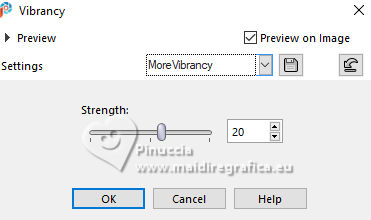
7. Adjust>Hue and Saturation>Vibrancy
8. Adjust>Sharpness>Sharpen More.
9. Open misted50_FogosDeArtificio_byAnaMariaC 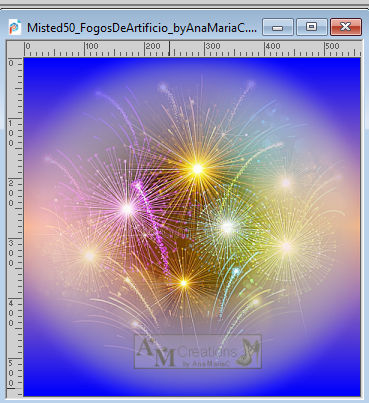
Edit>Copy.
Go back to your work and go to Edit>Paste As New Layer.
Place  correctly the tube. correctly the tube.
Adjust>Sharpness>Sharpen More.
10. Open tube01_happy2026_byAnaMariaC 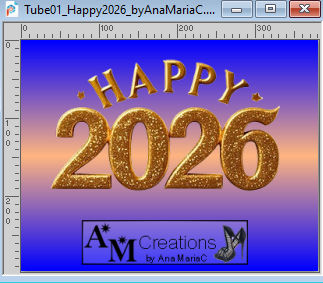
Edit>Copy.
Go back to your work and go to Edit>Paste As New Layer.
11. Objects>Align>Bottom.
Adjust>Sharpness>Sharpen More.
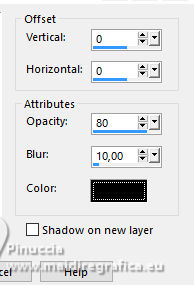
12. Effects>3D Effects>Drop Shadow, color black #000000.
13. Image>Add Borders, 2 pixels, symmetric, foreground color #feb580.
Image>Add Borders, 5 pixels, symmetric, background color #0000ff.
Image>Add Borders, 2 pixels, symmetric, foreground color #feb580.
14. Edit>Copy
Selections>Select All
15. Image>Add Borders, 40 pixels, symmetric, whatever color.
Selections>Invert.
16. Edit>Paste Into Selection
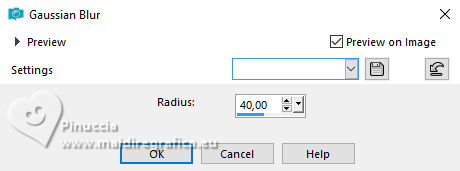
Adjust>Blur>Gaussian Blur - radius 40
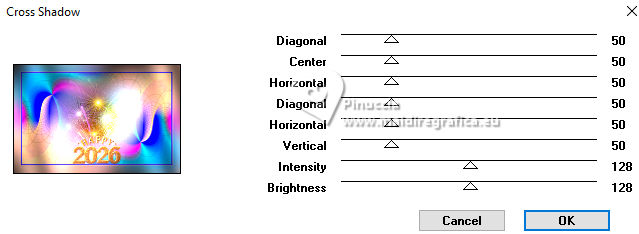
17. Effects>Plugins>Graphics Plus - Cross Shadow, default settings.
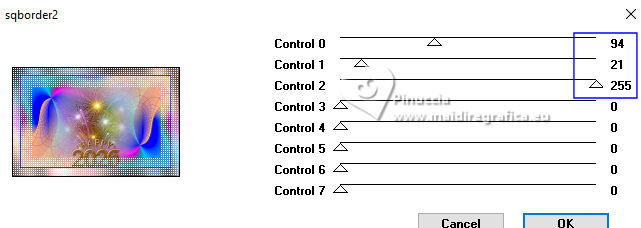
18. Effects>Plugins>[AFS IMPORT] - sqborder2.
Selections>Invert.
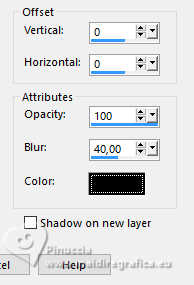
19. Effects>3D Effects>Drop Shadow, color black #000000.
Selections>Select None.
20. Open the tube misted mulher70_byAnaMariaC 
Edit>Copy.
Go back to your work and go to Edit>Paste as new layer.
Place the tube to your liking.
21. Open tube23_brinde_byAnaMariaC 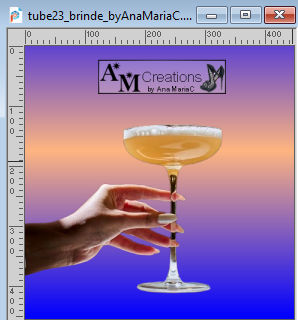
Edit>Copy.
Go back to your work and go to Edit>Paste as new layer.
Adjust>Sharpness>Sharpen.
Place the tube to your liking; for me
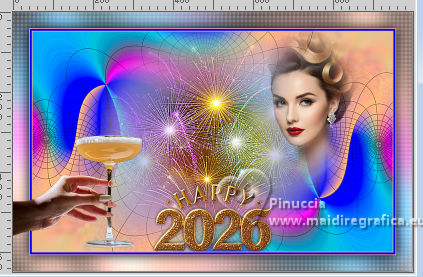
22. Effects>3D Effects>Drop Shadow, color black #000000.
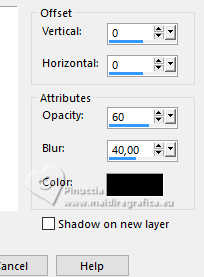
or to your liking
23. Image>Add Borders, 1 pixel, symmetric, color black #000000.
24. Image>Resize, if you want.
Sign your work on a new layer.
Layers>Merge>Merge All and save as jpg.
Version with my tubes from Pinterest images.

 Your versions.Thanks Your versions.Thanks

Irene

If you have problems or doubts, or you find a not worked link,
or only for tell me that you enjoyed this tutorial, write to me.
23 November 2025

|