|
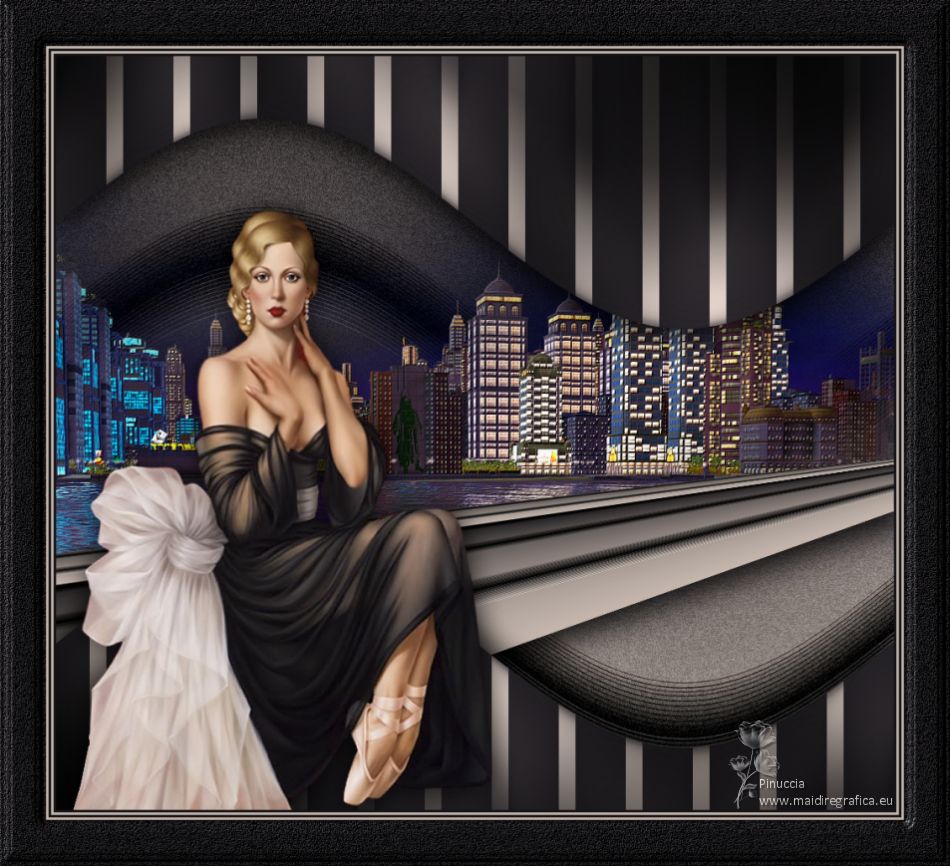
MADEMOISELLE

Thanks Luz Cristina for your invitation to translate your tutorials into english
This tutorial, created with PSP9, was translated with PSP2020, but it can also be made using other versions of PSP.
Since version PSP X4, Image>Mirror was replaced with Image>Flip Horizontal,
and Image>Flip with Image>Flip Vertical, there are some variables.
In versions X5 and X6, the functions have been improved by making available the Objects menu.
In the latest version X7 command Image>Mirror and Image>Flip returned, but with new differences.
See my schedule here
 French Translation here French Translation here
 Your versions here Your versions here

For this tutorial, you will need:
For the misted thanks Guismo.
The rest of the material is by Luz Cristina.
(The links of the tubemakers here).

consult, if necessary, my filter section here
Filters Unlimited 2.0 here
Mura's Meister - Perspective Tiling here
Mehdi 2 - Flat Median here
FM Tile Tools - Saturation Emboss, Blend Emboss here
Graphics Plus - Cross Shadow here
Filters Graphics Plus can be used alone or imported into Filters Unlimited.
(How do, you see here)
If a plugin supplied appears with this icon  it must necessarily be imported into Unlimited it must necessarily be imported into Unlimited

You can change Blend Modes according to your colors.
In the newest versions of PSP, you don't find the foreground/background gradient (Corel_06_029).
You can use the gradients of the older versions.
The Gradient of CorelX here
1. Open a new transparent image 1000 x 900 pixels.
2. Set your foreground color to #c6b8af,
and your background color to #161417.
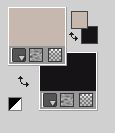
Set your foreground color to a Foreground/Background Gradient, style Linear.
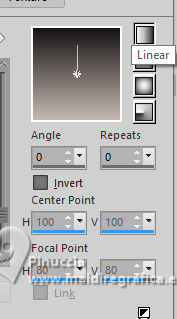
Flood Fill  the transparent image with your Gradient. the transparent image with your Gradient.
3. Layers>New Raster Layer.
Selection Tool 
(no matter the type of selection, because with the custom selection your always get a rectangle)
clic on the Custom Selection 
and set the following settings.
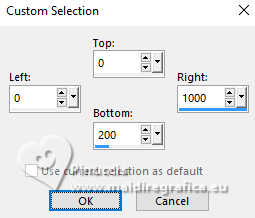
Flood Fill the selection with your Gradient.
5. Effects>Texture Effects>Weave
weave color: foreground color
gap color: background color
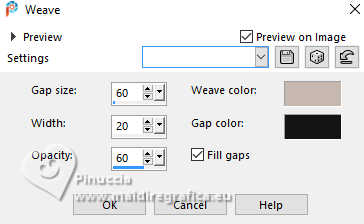
Selections>Select None.
6. Effects>Plugins>Mehdi 2 - Flat Median
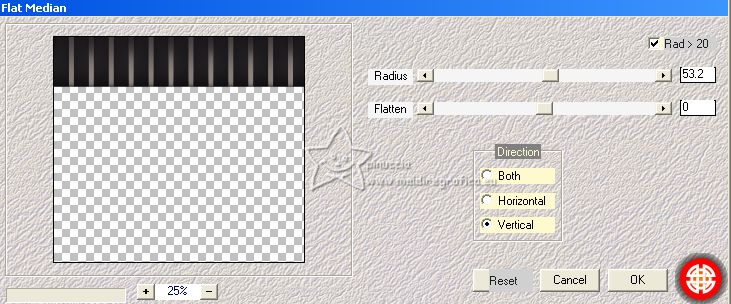
7. Effects>Distortion Effects>Wave
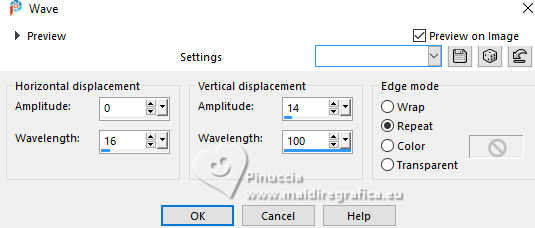
8. Layers>Duplicate.
Image>Mirror>Mirror Vertical (Image>Flip).
Image>Mirror>Mirror Horizontal (Image>Mirror).
Layers>Merge>Merge Down.
9. Effects>3D Effects>Drop Shadow.
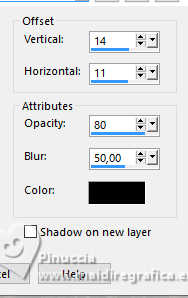
Edit>Repeat Drop Shadow.
10. Activate the layer Raster 1.
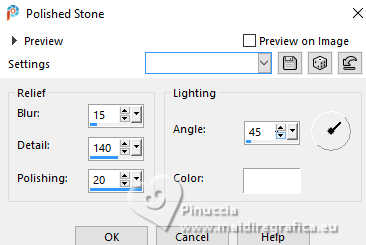
Effects>Texture Effects>Polished Stone.
11. Layers>Duplicate.
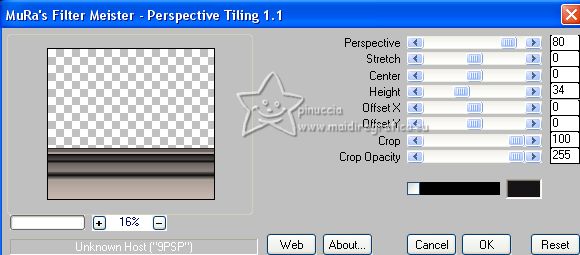
12. Effects>Plugins>Mura's Meister - Perspective Tiling.
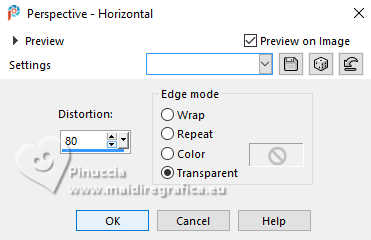
13. Effects>Geometric Effects>Perspective horizontal.
14. Effects>3D Effects>Drop Shadow.
15. Activate again the layer Raster 1.
Effects>Distortion Effects>Wave, same settings.
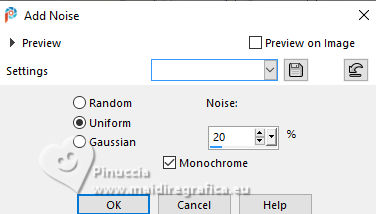
16. Adjust>Add/Remove Noise>Add Noise.
17. Open the misted calguismistcity14092011 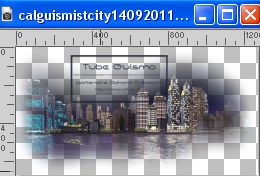
Edit>Copy.
Go back to your work and go to Edit>Paste as new layer.
18. Effects>Image Effects>Offset.
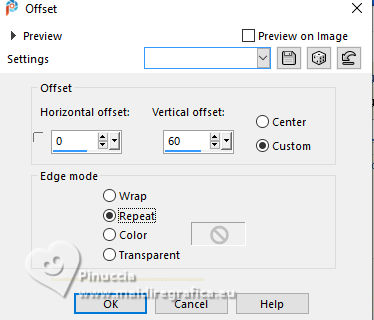
(optional, according to the sizes of your tube).
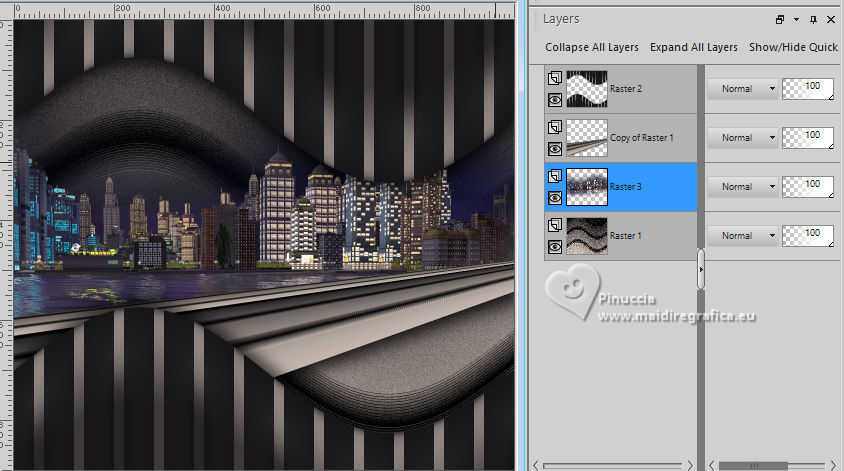
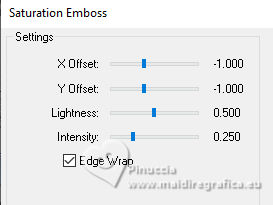
19. Effects>Plugins>FM Tile Tools - Saturation Emboss, default settings (optional)
20. Activate your top layer, Raster 2.
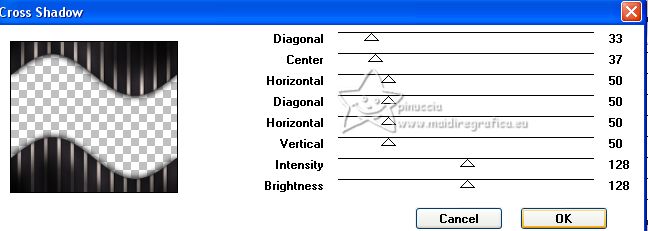
Effects>Plugins>Graphics Plus - Cross Shadow.
21. Open your woman's tube 8073-LuzCristina 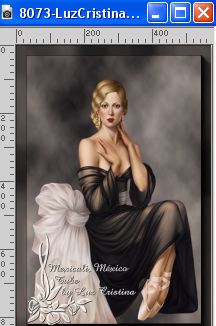
Edit>Copy.
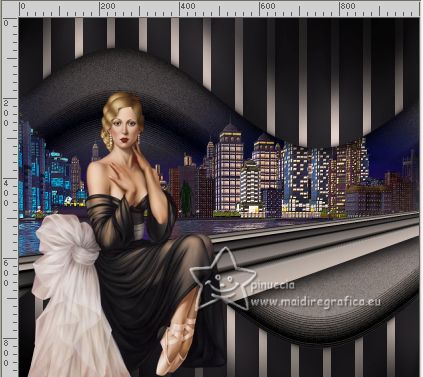
Go back to your work and go to Edit>Paste as new layer.
Move  the tube to the left side. the tube to the left side.
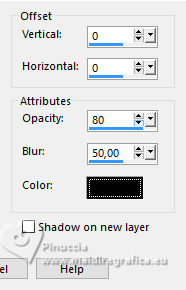
22. Effects>3D Effects>Drop Shadow.
23. Image>Add Borders, 3 pixels, symmetric, dark color.
Image>Add Borders, 3 pixels, symmetric, light color.
Image>Add Borders, 3 pixels, symmetric, dark color.
Image>Add Borders, 3 pixels, symmetric, light color.
Image>Add Borders, 55 pixels, symmetric, dark color.
24. Activate your Magic Wand Tool 
and click in the last border to select it.
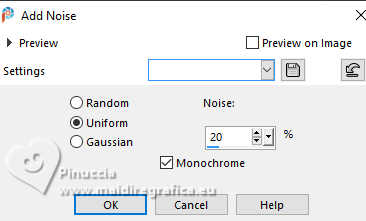
Adjust>Add/Remove Noise>Add Noise, same settings.
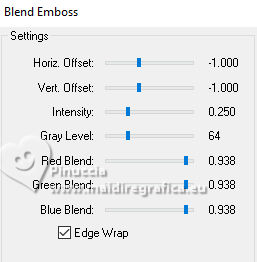
25. Effects>Plugins>FM Tile Tools - Blend Emboss, default settings.
26. Effects>3D Effects>Inner Bevel.
Selections>Select None.
27. Sign your work on a new layer.
28. Image>Resize, 84%, resize all layers checked.
Layers>Merge>Merge all and save as jpg.
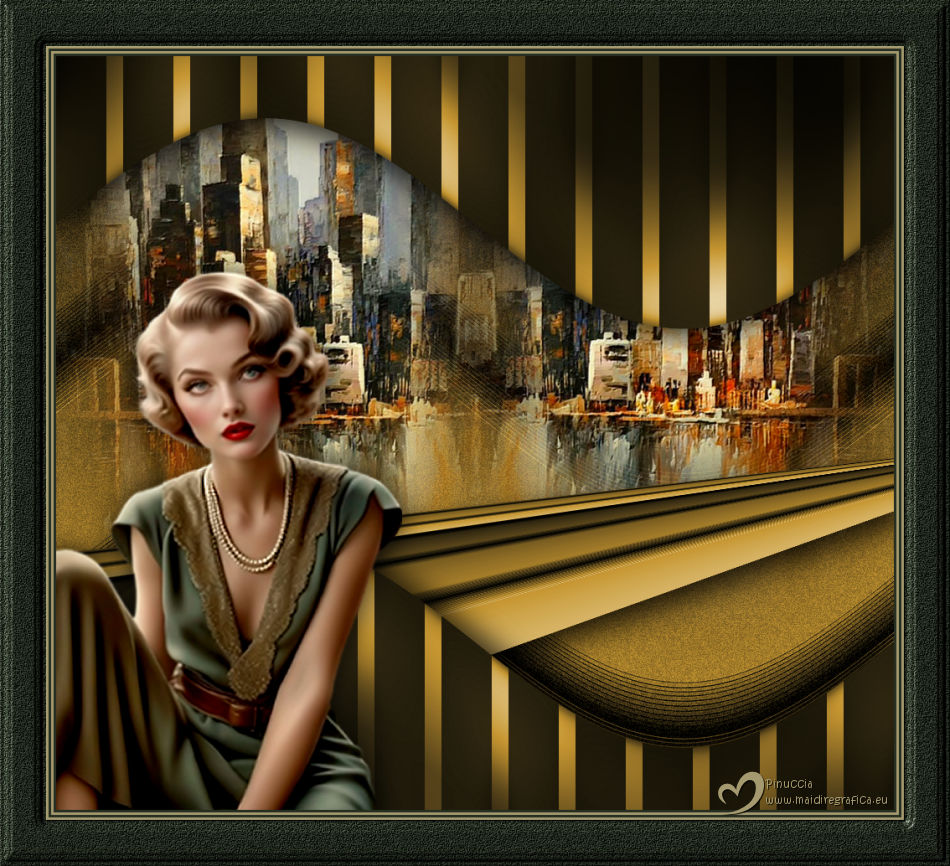
For the tubes of this version thanks Luz Cristina
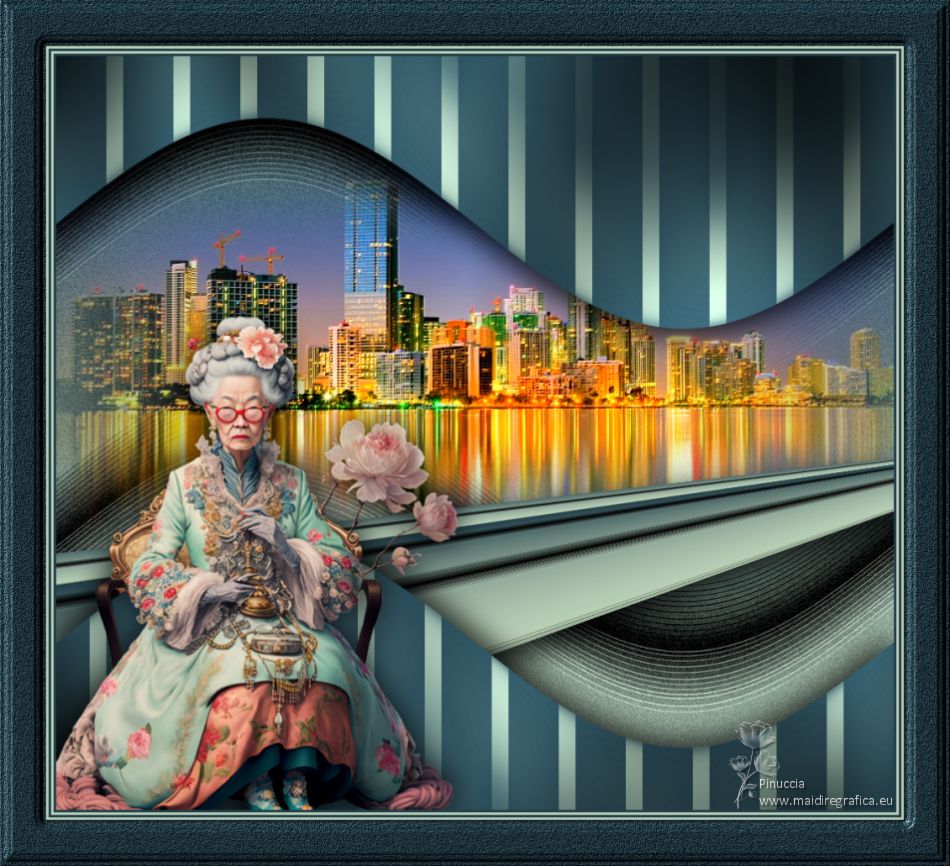
For the tube of this version thanks Renée, the misted is mine.
If you have problems or doubts, or you find a not worked link,
or only for tell me that you enjoyed this tutorial, write to me.
15 April 2025

|