|
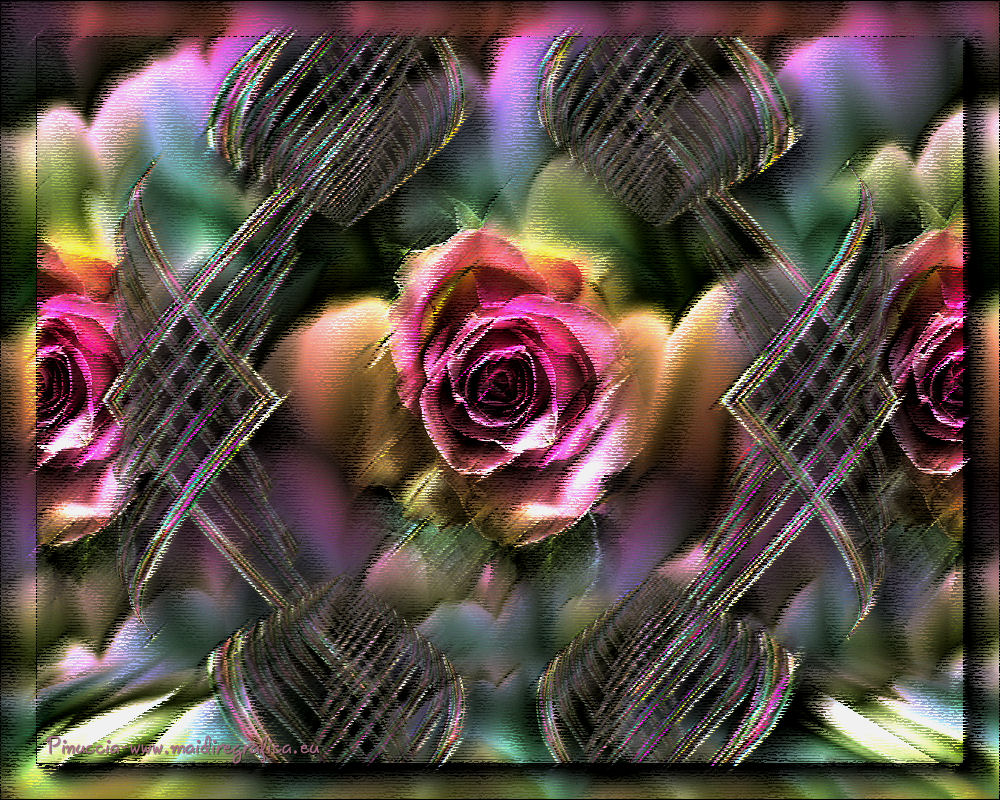
TOP PRIMAVERA EN OTONO

Thanks Luz Cristina for your invitation to translate your tutorials into english
This tutorial, created with PSP9, was translated with PspX9 and PSP2020, but it can also be made using other versions of PSP.
Since version PSP X4, Image>Mirror was replaced with Image>Flip Horizontal,
and Image>Flip with Image>Flip Vertical, there are some variables.
In versions X5 and X6, the functions have been improved by making available the Objects menu.
In the latest version X7 command Image>Mirror and Image>Flip returned, but with new differences.
See my schedule here
 French Translation here French Translation here
 Your versions here Your versions here

For this tutorial, you will need:
Tube de Luz Cristina
(you find here the links to the material authors' sites)
consult, if necessary, my filter section here
Filters Unlimited 2.0 here
Redfield - Jama 2000 here
Mura's Meister - Perspective Tiling here
Mura's Meister - Copies here
Xero - Nostalgia here
Simple - Top Left Mirror here
AAA Frames - Foto Frame here
Artistics - Rough Pastel here
Filters VM Distortion can be used alone or imported into Filters Unlimited.
(How do, you see here)
If a plugin supplied appears with this icon  it must necessarily be imported into Unlimited it must necessarily be imported into Unlimited

You can change Blend Modes according to your colors.
1. Open a new transparent image 1000 x 800 pixels.
2. Set any color to the foreground color; for me #a66a84,
and flood Fill  the transparent image with this color. the transparent image with this color.
3. Effects>Plugins>Redfield - Jama 2000
select the preset e-Flowers and ok.

4. Layers>Duplicate - 2 times to have 3 equal layers.
Close the top layer, Copy 2 of Raster 1.
and activate the layer of the first copy.
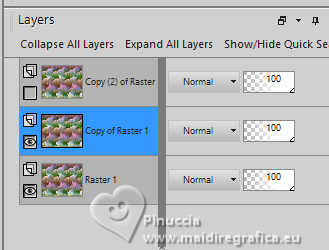
5. Effects>Plugins>Mura's Meister - Perspective Tiling.

6. Activate your Magic Wand Tool 

Click in the transparent part to select it.
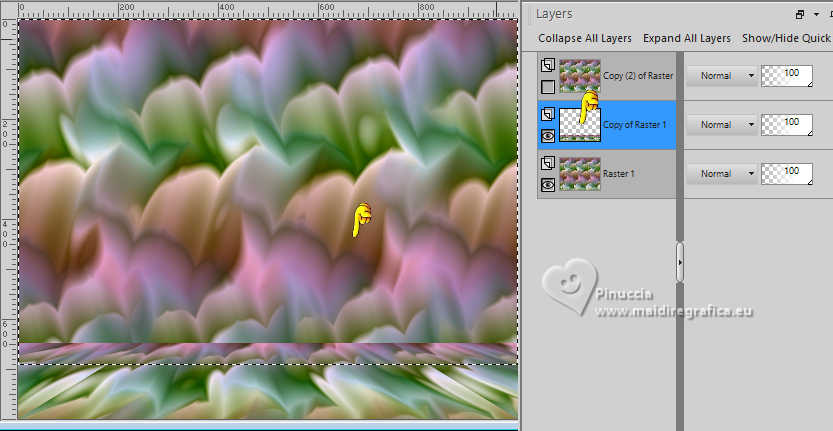
Press several times CANC on the keyboard 

Selections>Select None.
don't forget to set again tolerance and feather of your Magic Wand Tool to 0
7. Re-open and activate your top layer.
Effects>Geometric Effects>Perspective Horizontal.
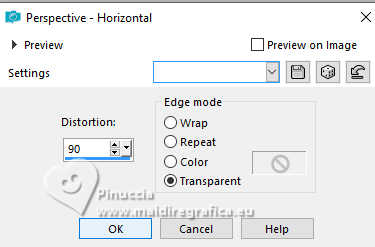
Image>Mirror>Mirror horizontal.
Repeat Effects>Geometric Effects>Perspective horizontale, last settings.
Result

8. Image>Resize, to 60%, resize all layers not checked.
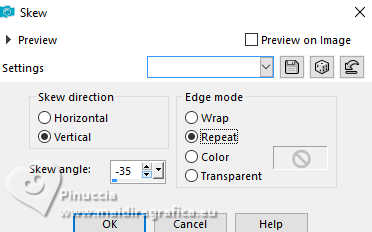
9. Effects>Geometric Effects>Skew.
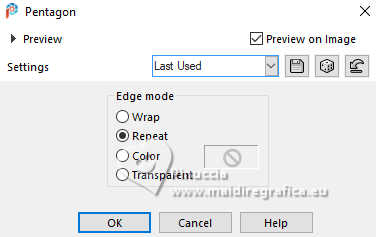
10. Effects>Geometric Effects>Pentagon
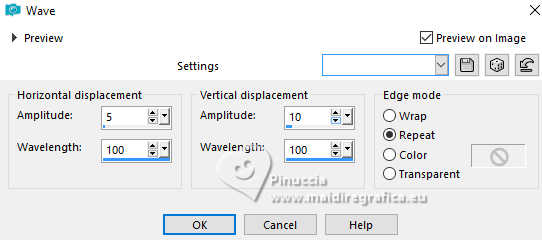
11. Effects>Distortion Effects>Wave
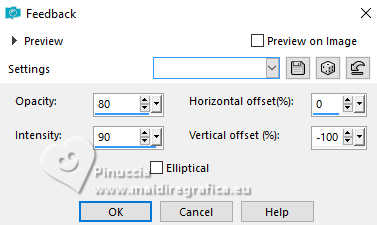
12. Effects>Reflection Effects>Feedback.

13. Layers>Duplicate.
Image>Mirror>Mirror Horizontal.
Layers>Merge>Merge Down.
14. Image>Resize, to 60%, resize all layers not checked.
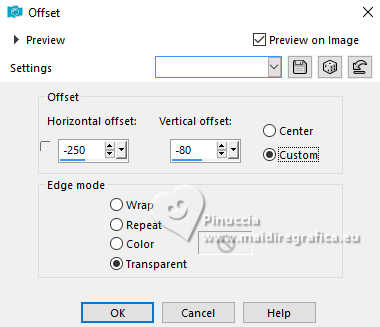
15. Effects>Image Effects>Offset.
16. Layers>Duplicate.
Image>Mirror>Mirror horizontal.
Layers>Merge>Merge Down.
17. Image>Mirror>Mirror vertical (Image>Flip).
You should have this

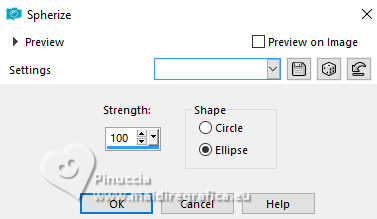
18. Effects>Geometric Effects>Spherize.
19. Effects>Plugins>Mura's Meister - Copies.

20. Effects>Plugins>Simple - Top Left Mirror.

21. Image>Resize, to 91%, resize all layers not checked.
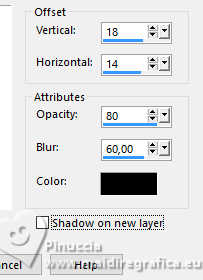
22. Effects>3D Effects>Drop Shadow.
23. Open the misted 4053-luzcristina 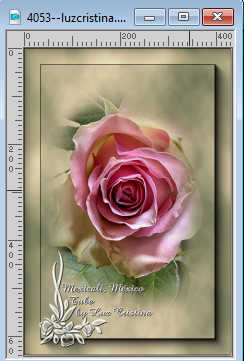
Edit>Copy.
Go back to your work and go to Edit>Paste as new layer.
Layers>Arrange>Move Down.
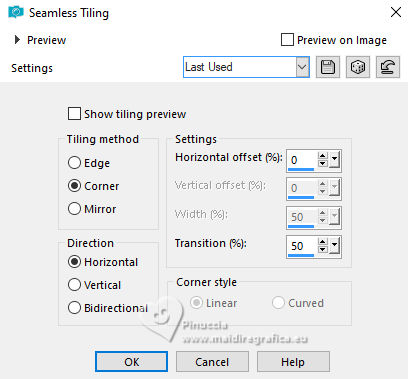
24. Effects>Image Effects>Seamless Tiling.
You should have this; don't worry ous devriez avoir ce-ci;
don't worry if the shapes don't touch the edges.

25. Image>Resize, to 93%, resize all layers not checked.
26. Layers>Merge>Merge visible.
27. Effects>Plugins>AAA Frames - Foto Frame.

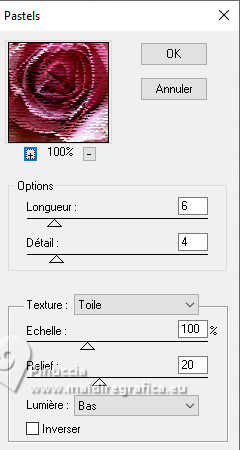
28. Effects>Plugins>Artistics - Rough Pastels
if you use the french version of this filter:
Effects>Plugins>Artistiques>Pastels
29. Effects>Plugins>Xero - Nostalgia

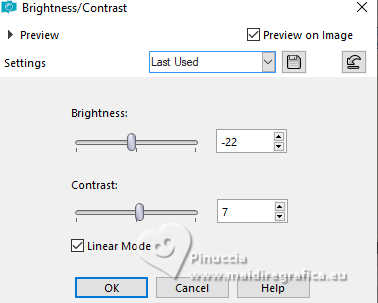
30. Adjust>Brightness and Contrast>Brightness and Contrast.
31. Sign your work and save as jpg.
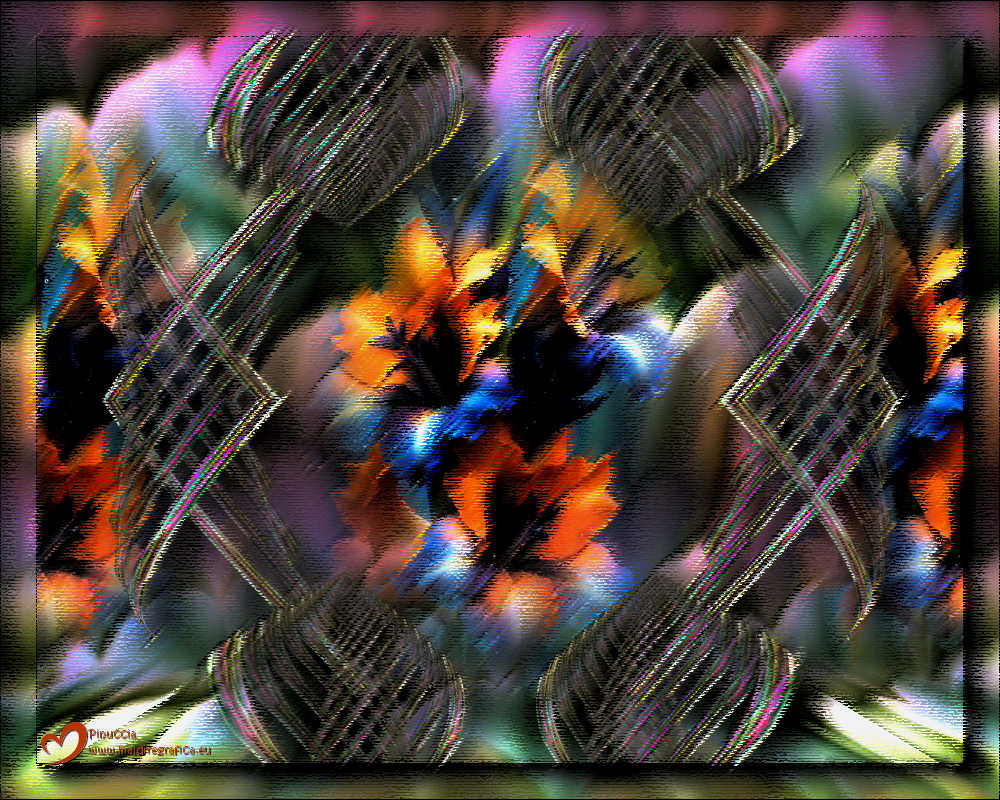
Version avec image Pinterest
If you have problems or doubts, or you find a not worked link,
or only for tell me that you enjoyed this tutorial, write to me.
12 August 2026
|