|
TUTORIAL HALLOWEEN  english version english version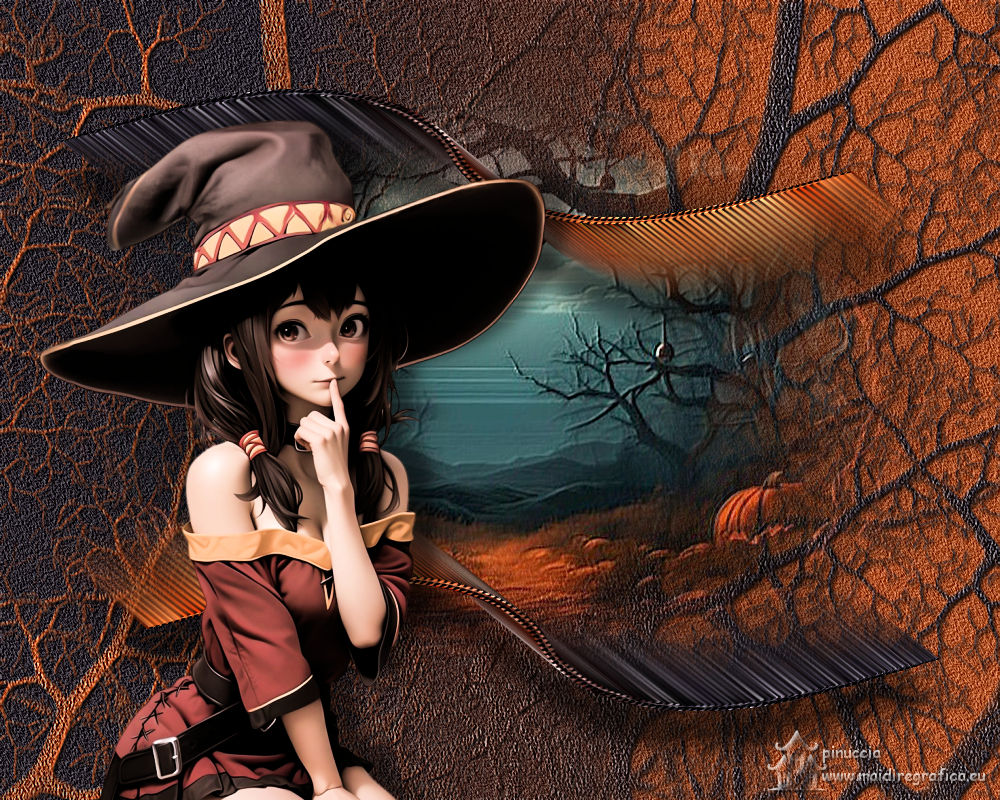

This tutorial was created with PSP2019 and translated with Corel PSPX7, but it can also be made using other versions of PSP. Since version PSP X4, Image>Mirror was replaced with Image>Flip Horizontal, and Image>Flip with Image>Flip Vertical, there are some variables. In versions X5 and X6, the functions have been improved by making available the Objects menu. In the latest version X7 command Image>Mirror and Image>Flip returned, but with new differences. See my schedule here  Italian translation here Italian translation here French translation here French translation here Your versions here Your versions here
For this tutorial, you will need:  For the mask thanks Narah. The rest of the material is by Suizabella. (The links of the tubemakers sites here).  consult, if necessary, my filter section here Mura's Meister - Copies here Alien Skin Eye Candy 5 Impact - Perspective Shadow here  You can change Blend Modes and opacity of the layer, according to your colors.  The texture Fine Canvas or Corel_15_005 is standard. If you don't find it in your PSP, copy the supplied one in the Textures Folder. Copy the preset Emboss 3 in the Presets Folder. Copy the Gradient SuiGrad-044 in the Gradients Folder. Copy the mask Narah_mask_Nature023 in the Masks Folder. 1. Set your foreground color to #b05328, and your background color to #27222b. 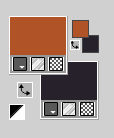 Set your foreground color to Gradient and select the gradient SuiGrad-044, style Linear. 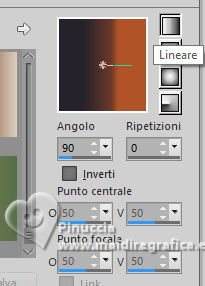 if you use other colors, the gradient will also change color 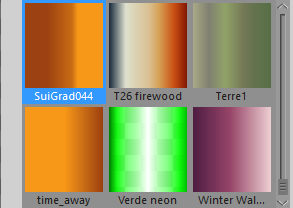 2. Open a new transparent image 1000 x 800 pixels. Flood Fill  the transparent image with your Gradient. the transparent image with your Gradient.3. Adjust>Add/Remove Noise>Add Noise. 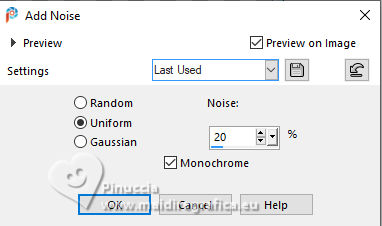 4. Effects>User Defined Filter - select the preset Emboss 3 and ok. 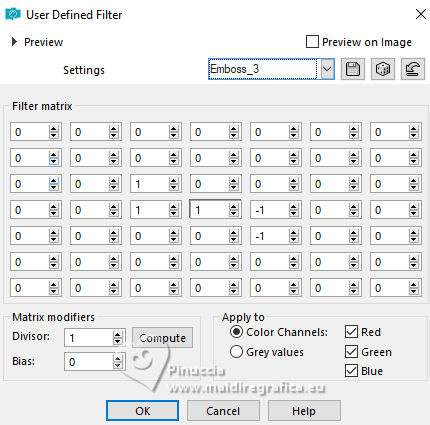 5. Layers>Duplicate. Image>Mirror. 6. Layers>Load/Save Mask>Load Mask from Disk. Look for and load the mask Narah_mask_Nature023 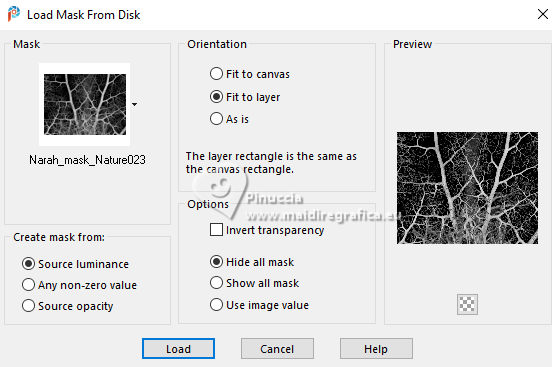 Layers>Merge>Merge Group. Effects>User Defined Filter - preset Emboss 3. 7. Effects>Plugins>Alien Skin Eye Candy 5 Impact - Perspective Shadow.  8. Open the tube PaisajeTutorial Halloween.png 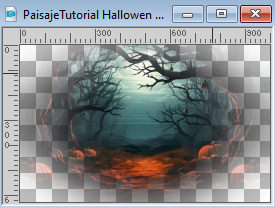 Edit>Copy. Go back to your work and go to Edit>Paste as new layer. for my example, to hide edge traces 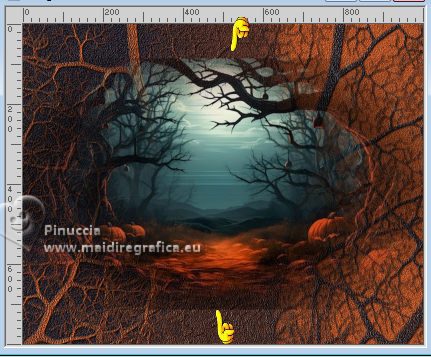 I applied two times the mask !!!20-21 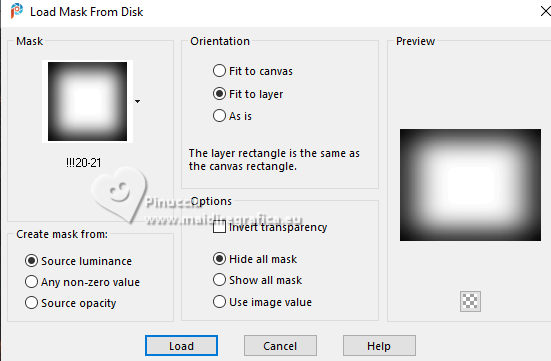 Repeat Effects>User Defined Filter - preset Emboss 3ok. You should have this 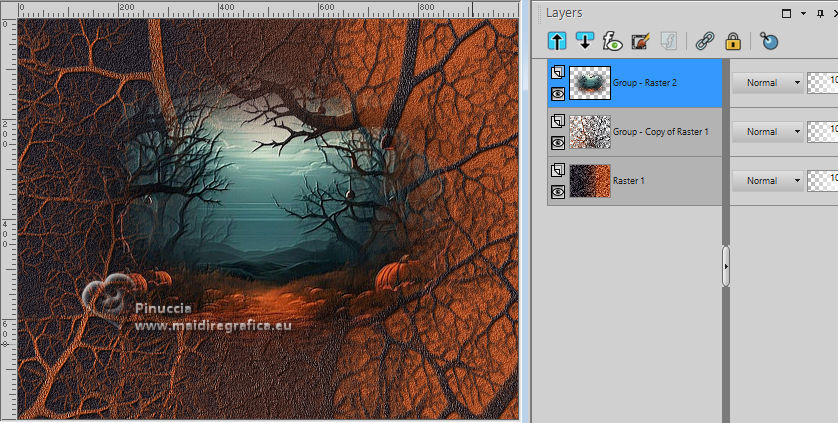 9. Activate your bottom layer, Raster 1. 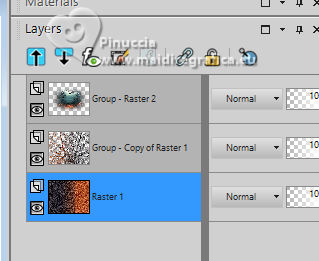 Layers>Duplicate. Layers>Arrange>Bring to Top. 10. Effects>Geometric Effects>Perspective horizontal. 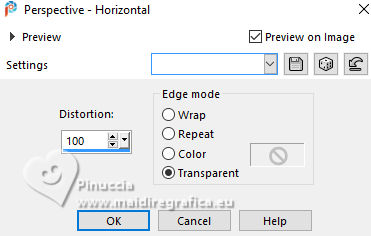 Repeat Effects>Geometric Effects>Perspective horizontal -100. 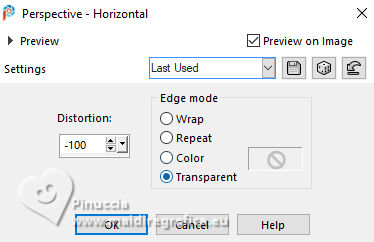 11. Effects>Geometric Effects>Circle. 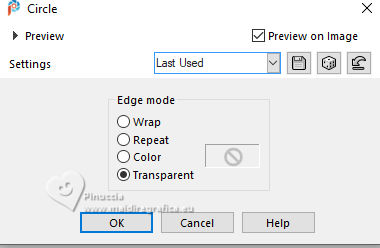 12. Effects>Texture Effects>Texture - select the texture Fine Canvas or Corel_15_005.  13. Effects>Distortion Effects>Twirl.  14. Effects>Plugins>Mura's Meister - Copies (with these settings, the color BG Color doesn't matter)  15. Effects>Image Effects>Offset.  16. Layers>Duplicate. Image>Flip. Image>Mirror. Layers>Merge>Merge Down. 17. Effects>3D Effects>Drop shadow, color black.  18. Open the tube SuizaBella_Ref_AG-003646.pspimage  Edit>Copy. Go back to your work and go to Edit>Paste as new layer. Image>Resize, to 68%, resize all layers not checked. Image>Mirror. Move  the tube to the left. the tube to the left.If you use the supplied tube: Adjust>Brightness and Contrast>Brightness and Contrast  19. Effects>Plugins>Alien Skin Eye Candy 5 Impact - Perspective Shadow.  20. Sign your work on a new layer. Layers>Merge>Merge All and save as jpg. For the tube of this version thanks Adrienne   If you have problems or doubt, or you find a not worked link, or only for tell me that you enjoyed this tutorial, write to me. 18 October 2023 |