|
CHRISTMAS IS LOVE


Thanks Elaine for your invitation to translate your tutorials into english

This tutorial was written with PSP2020 and translated with PSPX9 and PSP2020, but it can also be made using other versions of PSP.
Since version PSP X4, Image>Mirror was replaced with Image>Flip Horizontal,
and Image>Flip with Image>Flip Vertical, there are some variables.
In versions X5 and X6, the functions have been improved by making available the Objects menu.
In the latest version X7 command Image>Mirror and Image>Flip returned, but with new differences.
See my schedule here
 italian translation here

For this tutorial, you will need:
1 main tube
The rest of the material

(The links of the tubemakers here).

consult, if necessary, my filter section here
Filters Unlimited 2.0 here
Simple - Pizza Slice Mirror here
AAA Frames - Foto Frame here
Filters Simple can be used alone or imported into Filters Unlimited.
(How do, you see here)
If a plugin supplied appears with this icon  it must necessarily be imported into Unlimited

You can change Blend Modes according to your colors.

Open the masks and the golden pattern in PSP and minimize them with the rest of the material.
1. Open a new transparent image 900 x 600 pixels.
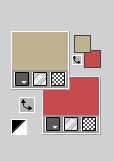
2. Choose two colors from your tube; for the example;
foreground color #bfb290
background color #c64b4e
3. Flood Fill  the transparent image with your dark background color #c64b4e.
4. Layers>New Raster Layer.
Flood Fill the layer with your light foreground color #bfb290.
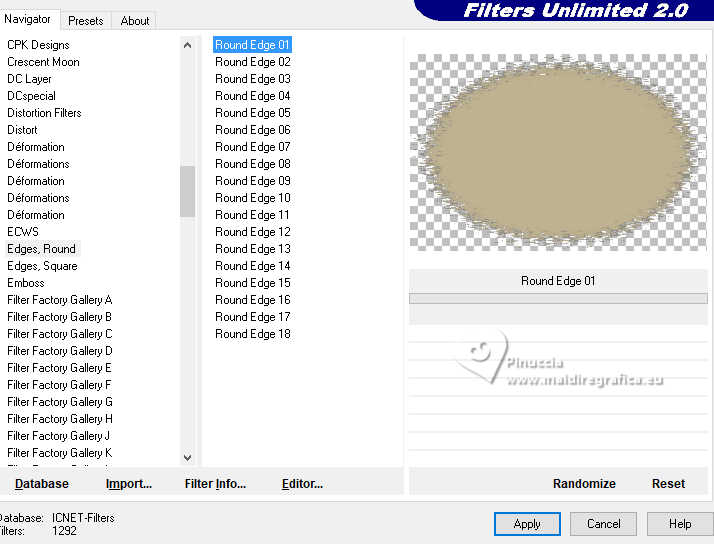
5. Effects>Plugins>Filters Unlimited 2.0 - Edges Round - Round Edge 1.
6. Layers>New Raster Layer.
Set your foreground color to white #ffffff.
Flood Fill the layer with color white.
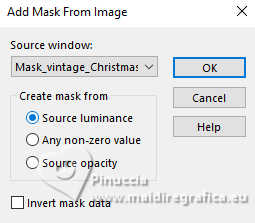
7. Layers>New Mask layer>From image
Open the menu under the source window and you'll see all the files open.
Select the mask Mask_vintage_Christmas_ElaineA
Effects>Edge Effects>Enhance More.
Layers>Merge>Merge Group.
8. Layers>Merge>Merge All.
9. Layers>Duplicate.
Image>Resize, to 80%, resize all layers not checked.
10. Effects>Plugins>Simple - Pizza Slice Mirror.
This filter works without window; result:
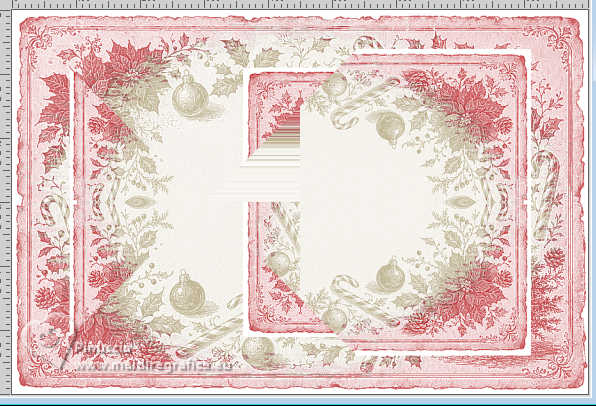
11. Effects>3D Effects>Drop Shadow, dark background color #c64b4e.
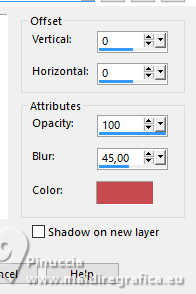
12. Layers>Merge>Merge All.
13. Effects>Plugins>AAA Frames - Foto Frame.
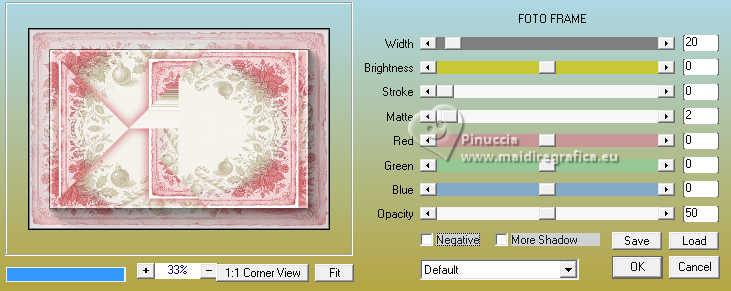
14. Layers>New Raster Layer.
Set your foreground color to Pattern, and select a golden pattern at your choice, or use the supplied one
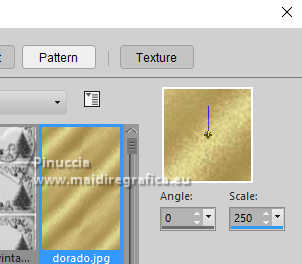
Flood Fill the layer with your golden pattern.
15. Layers>New Mask layer>From image
Open the menu under the source window
and select the mask NarahsMasks_1859
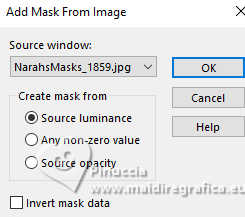
Layers>Merge>Merge Group.
16. Effects>3D Effects>Drop Shadow, last settings.
17. Open your tube and go to Edit>Copy.
Go back to your work and go to Edit>Paste as new layer.
Image>Resize, if necessary.
Effects>3D Effects>Drop Shadow, last settings.
18. Open the wordart Christmas is love and go to Edit>Copy.
Go back to your work and go to Edit>Paste as new layer.
19. Image>Add Borders, 1 pixel, symmetric, dark color #c64b4e.
20. Sign your work and save as jpg.
Version with Pinterest images


 Your versions
If you have problems or doubts, or you find a not worked link, or only for tell me that you enjoyed this tutorial, write to me.
13 November 2026

|